What is WHOIS and how do I know who own a domain?

  • September 11, 2017
  • 0 Comments

A WHOIS search will provide details regarding a domain name. It may include information, such as domain ownership, where and when registered, expiration date, and the nameservers assigned to the domain.

For instance, let's search for our domain name website.com.bn:
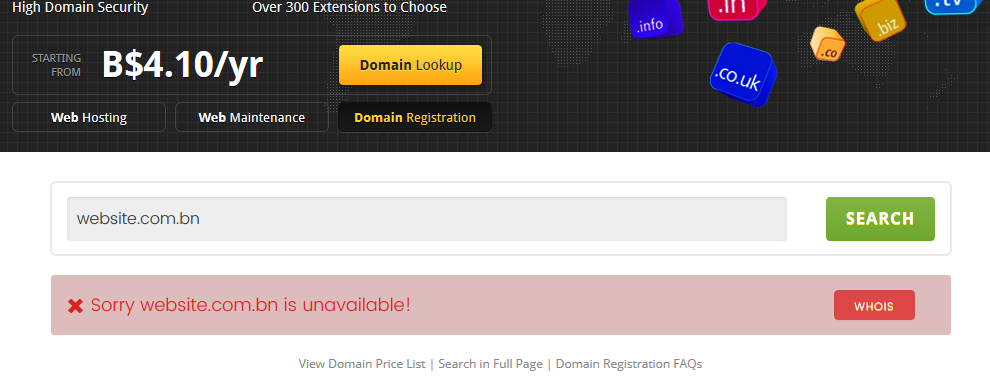
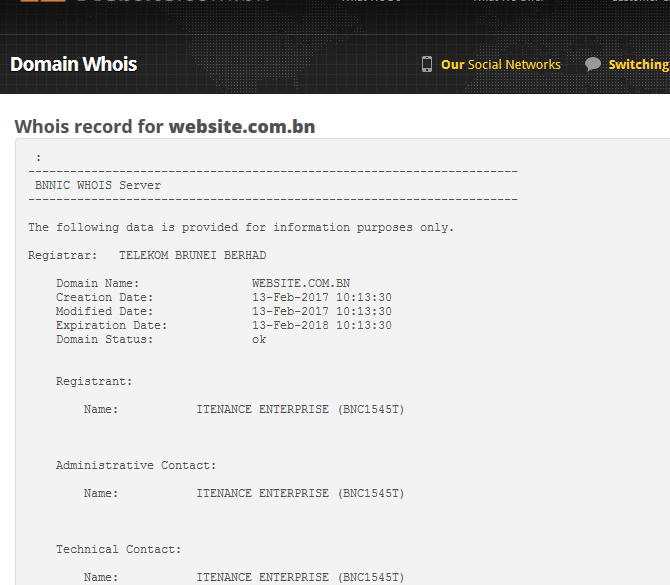
And of course the domain will be unavailable (it has been taken by us). Only when a domain is unavailable will the WHOIS option appears. Click on the WHOIS button if you are interested to know more about the registrant (that is us):

The WHOIS record will then be shown. You can choose to keep your WHOIS record private, but all professional organization should ideally make it public. You can also change your WHOIS contact information in the Client Center.

Note: If a registrant opts to setup WHOIS privacy, you will not be able to see the contact information. There are also registries for certain domain extensions who have opted out WHOIS, therefore the records cannot be viewed.


How helpful was this article to you?